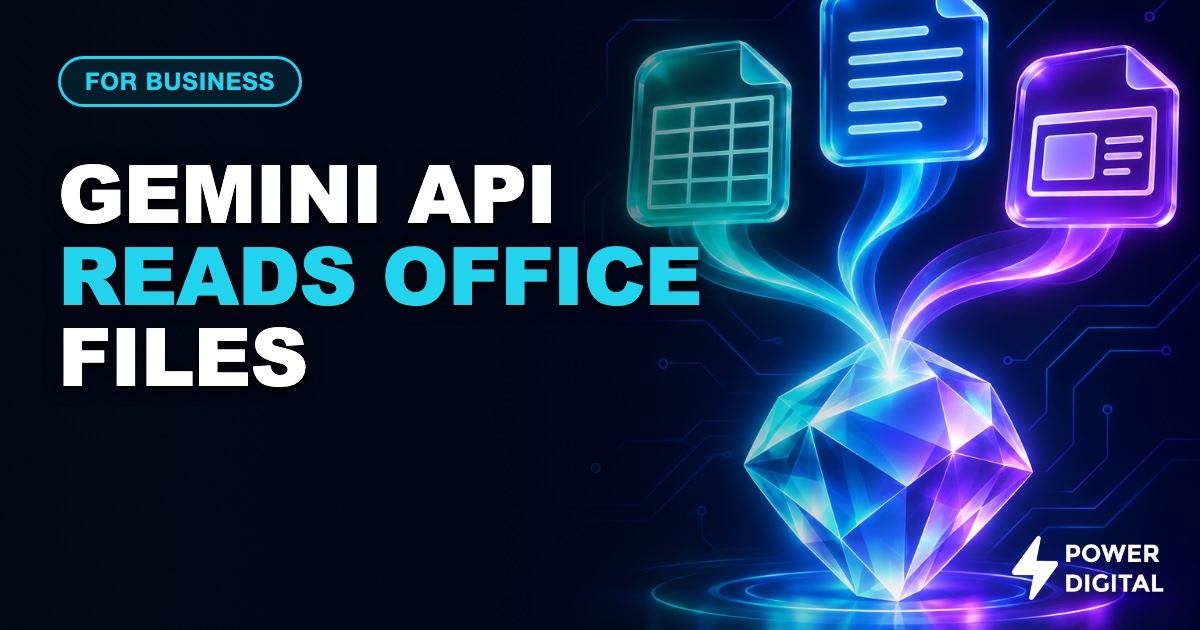
In short: Google's Gemini API can now take Word, PowerPoint and Excel files directly, and lets you send only a page range, sheet tab, cell range or time slice, so you pay for less. For a Singapore SME this makes invoice, quotation and report jobs cheaper to automate, but files with personal data raise PDPA questions you should settle first.
What happened
On 18 November 2026, Google added an entry to the Gemini API changelog saying that Microsoft Office and OpenDocument files (Word, PowerPoint and Excel) can be passed straight to the API. The same entry says documents, spreadsheets, video and audio can be sliced in user prompts and function responses: you pick page ranges, worksheet tabs, cell ranges, time intervals or content layers, and only that part is processed and billed.
Until now, a typical office-file workflow meant converting to PDF or CSV first, which loses formatting and formulas.
Key details
- File types: .docx, .doc, .dotx, .odt for documents; .pptx, .ppt, .odp for presentations; .xlsx, .xls, .ods for spreadsheets. PDFs are also supported.
- Limits: 50 MB per file, 2,000 pages or slides per Office file, 50,000 cells per sheet. Page limits apply to the whole file even when you slice it.
- Default token counts on Gemini 4 and later: Word and PowerPoint files are read as page or slide images at about 560 tokens per page at the default setting (about 280 at low, 1,120 at high), as stated in Google's guide. Excel files are read as values, formulas and sheet names for all sheets.
- Slicing: a
processingoption on the document lets you setstart_pageandend_page, a spreadsheetsheet_index, andvisible_cellsin A1 notation such as A1:G40. Only the selected parts are counted. - Which models: stated by Google. The document guide says the processing options (slicing) work across all Gemini 3 and Gemini 4 and later models, and that Office files are read as page images by default on Gemini 4 and later.
- Which models: our assumption. The cost tables below assume Office file support applies to both Gemini 4 Hydrogen and Gemini 4 Neon, because both are Gemini 4 models.
- Not published: Google has not published a token formula for spreadsheets, or for Word text on older Gemini 3 and 2.5 models, so any spreadsheet cost figure is an estimate.
Model prices in USD and SGD
Prices below are from Google's pricing page, standard paid tier, per million tokens. SGD uses 1 USD = 1.2896 SGD, the European Central Bank reference rate published by Frankfurter on 18 November 2026. Output prices include thinking tokens. Google's pricing page bills document tokens (it gives PDFs as the example) at the image token rate. The tables below assume Office files are billed the same way.
| Model | Input USD | Output USD | Input SGD | Output SGD |
|---|---|---|---|---|
| Gemini 4 Hydrogen | 1.50 | 7.50 | 1.93 | 9.67 |
| Gemini 4 Neon | 3.00 | 15.00 | 3.87 | 19.34 |
Google has not announced Singapore availability or Singapore-specific pricing. The pricing page says AI Studio usage is free in available regions and that prices may differ on Gemini Enterprise Agent Platform, so check which one you will use.
How it compares
Before this change, you extracted text yourself or converted files to PDF, then sent everything. Now the API reads the original file and you can cut the input down at the source. The saving depends on how much of each file you actually need, which is what the sliced row in the table below shows.
What it means for businesses
Three back-office jobs this makes simpler
The estimates below are Power Digital's own arithmetic. Google publishes the per-million-token prices above and the figure of about 560 tokens per page or slide at the default setting. Everything else is assumed: the 2,000-token invoice, the 420, 480 and 500 tokens of instructions, and every output size. Costs are per 1,000 files and cover model usage only, not development, hosting or checking by staff.
| Job | Input per file (published 560 per page or slide; the rest assumed) | Output per file (assumed) | Hydrogen per 1,000 files | Neon per 1,000 files |
|---|---|---|---|---|
| 1. Read an invoice in Excel (one sheet, sliced to the invoice range) and return fields for your accounting system | 2,000 tokens, all assumed | 300 tokens | USD 5.25 (SGD 6.77) | USD 10.50 (SGD 13.54) |
| 2. Read a 3-page Word quotation and check it against a price list | 2,100 tokens (3 pages at 560 = 1,680 published, plus 420 assumed for instructions) | 400 tokens | USD 6.15 (SGD 7.93) | USD 12.30 (SGD 15.86) |
| 3a. Summarise a 12-slide monthly report deck, whole file | 7,200 tokens (12 slides at 560 = 6,720 published, plus 480 assumed) | 800 tokens | USD 16.80 (SGD 21.67) | USD 33.60 (SGD 43.33) |
| 3b. Same deck, only the 4 slides you need | 2,740 tokens (4 slides at 560 = 2,240 published, plus 500 assumed) | 800 tokens | USD 10.11 (SGD 13.04) | USD 20.22 (SGD 26.08) |
Read the table this way: slicing the report to four slides cuts the Hydrogen bill from about SGD 22 to about SGD 13 per 1,000 files, a drop of roughly 40 percent in this example. Which side costs more varies by job. On Hydrogen, input is the larger share in jobs 1 (USD 3.00 against 2.25) and 3a (10.80 against 6.00), the two are almost level in job 2 (3.15 against 3.00), and output is the larger share only in 3b (6.00 against 4.11). Output costs five times as much per token as input, so once the input is sliced down, a short, structured reply (for example a fixed set of fields) is the next saving to look at. For your own volumes, our token cost calculator lets you change the assumptions.
The practical point for a small firm: invoices, quotations and monthly decks are the files staff already produce in Excel, Word and PowerPoint. Sending them as they are, instead of building a conversion step, removes a piece of plumbing. If you want these jobs built into your systems, that is the kind of work we do under AI agent development, and connecting the output to your own tools falls under web application development.
PDPA questions to ask before sending files with personal data
Invoices and quotations often carry names, addresses, phone numbers and NRIC-linked details. Sending them to an overseas API is a decision to make deliberately.
- Which tier are you on? Google's API terms say unpaid use may be read by human reviewers and used to improve Google products, and tell users not to submit sensitive, confidential or personal information. For paid use, the terms say prompts and responses are not used to improve Google products. Note that Hydrogen is available on the free tier, so check that your key is on a billed project.
- Where does the data go? The terms say prompts and responses may be stored transiently or cached in any country where Google or its agents have facilities. If your files contain personal data, ask what that means for your obligations when data leaves Singapore.
- Do you need personal data in the file at all? Slicing helps here. If the job needs only the line items and totals, send only that cell range and leave out the customer details.
- How long is data kept? The terms say paid prompts and responses are logged for a limited period for abuse prevention, security and legal disclosure, and the duration is not stated.
- What did you tell customers? Check that your privacy notice covers use of an AI service and overseas processing.
- Who checks the output? A model can misread a field. Keep a person approving anything that moves money.
Our take
This is Power Digital's view. The useful part is not the file support on its own but the slicing: it gives you a way to send less data, which lowers both cost and exposure. For most SME back-office jobs, the model cost per file is a fraction of a cent to a few cents, so the real cost is the work to build, test and supervise the workflow. We would start with one job, such as invoice intake, run it on the cheaper model with a person approving results, and measure error rates on your own files before widening it.
If you are new to the topic, our article on what an AI agent is explains where a file-reading step fits in a larger workflow.
Sources
- Gemini API changelog: 18 November 2026 Office files and slicing entry, Gemini 4 Neon and Hydrogen release entries.
- Gemini document processing guide: file types, limits, token counts, slicing options.
- Gemini API pricing: per million token prices for Hydrogen and Neon.
- Gemini API additional terms: data use, human review, retention and storage location for paid and unpaid use.
- Frankfurter exchange rate API: USD to SGD 1.2896 on 18 November 2026 (ECB reference rate).